
Triggers
A quick-start guide about Triggers. You'll learn how to automatically run Go Workflows from systems outside of V7.
What is a Trigger?
Trigger: An event that kicks off an automated workflow.
Triggers let workflows run automatically in response to external events. They act as event listeners that monitor changes — for example, new emails or Slack/Teams messages. When a trigger fires, it creates a new entity that the workflow can act on without waiting for manual input or an API call.
Setting Up a Trigger
1. Add a New Trigger
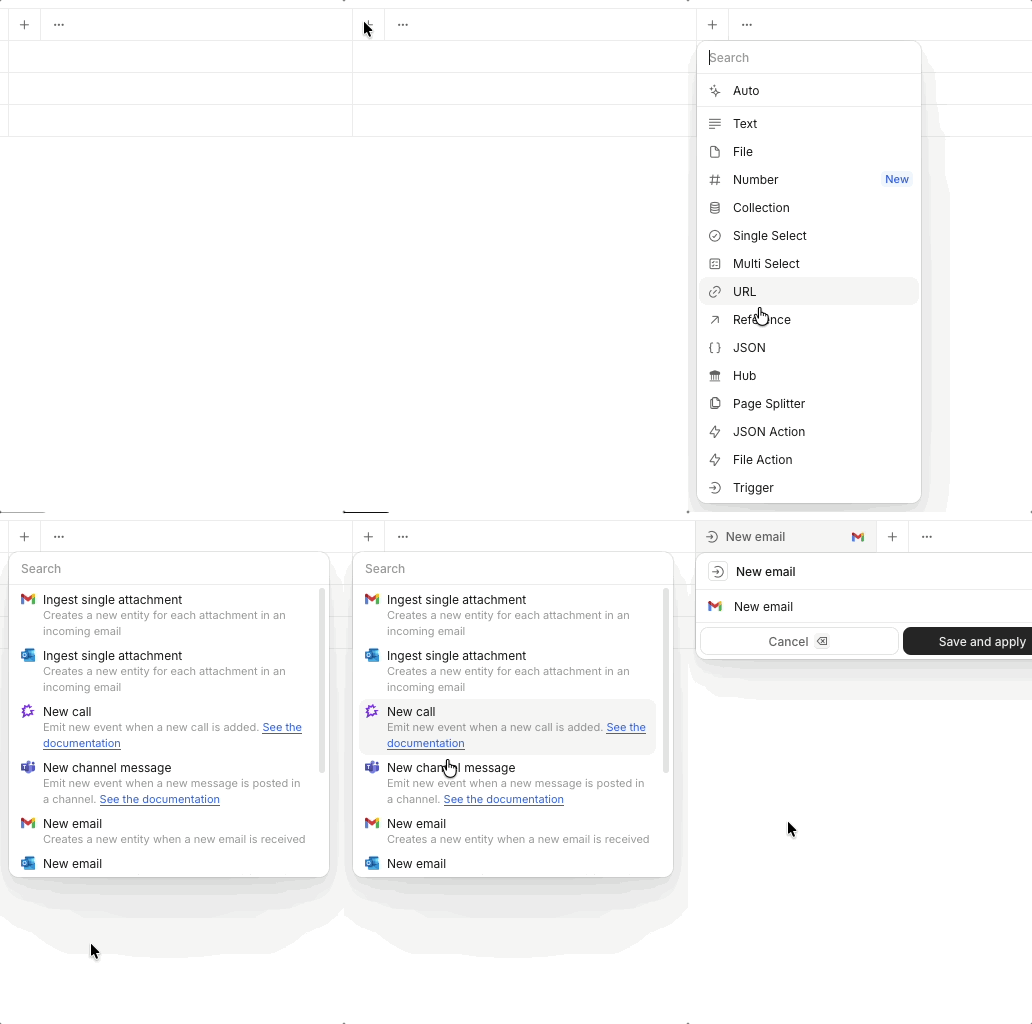
With your workflow open, click the + icon to add a new property or tool, and select Trigger.
From the drop-down list, select the trigger you want to add.
2. Connection and Authentication
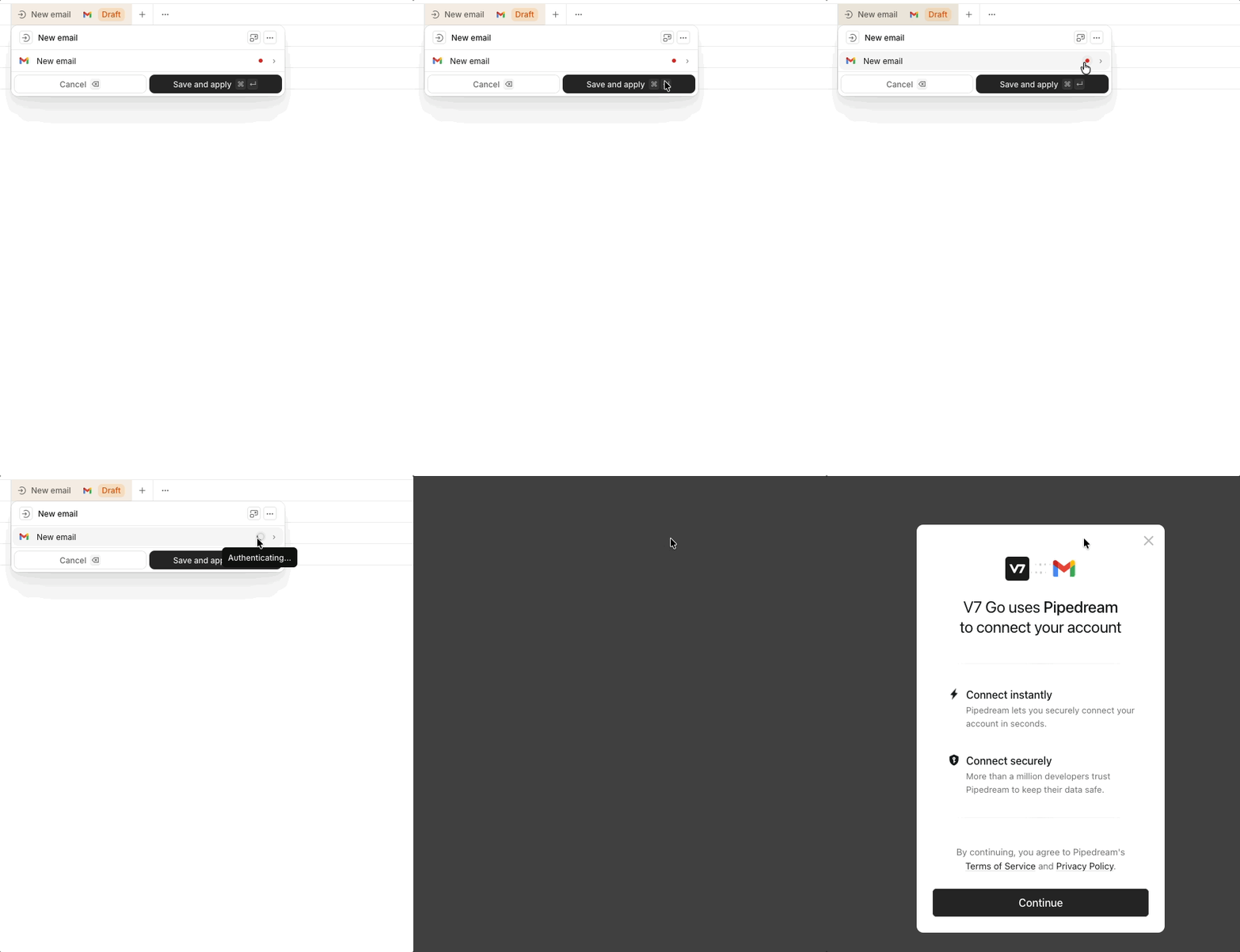
When you add a trigger for a provider/application you haven’t connected before, you’ll need to authenticate your account first.
Click the red status icon 🔴 next to the Trigger and follow the authentication flow in the pop-up window. Once authenticated, the icon will turn green 🟢 to indicate the connection is active.
3. Configure and Save
Depending on the selected trigger, you may be prompted to configure additional parameters that define which events the trigger will listen for.
When "✓ Ready to save" appears, click "Save and apply".
4. Map Trigger Data to a Property
To use the data received from a trigger event, map it to one of your agen't other properties an input.
Open the desired property, click the @ icon, and then check ☑️ the trigger you want to include.
Finally, adjust theprompt to make use of the new data.
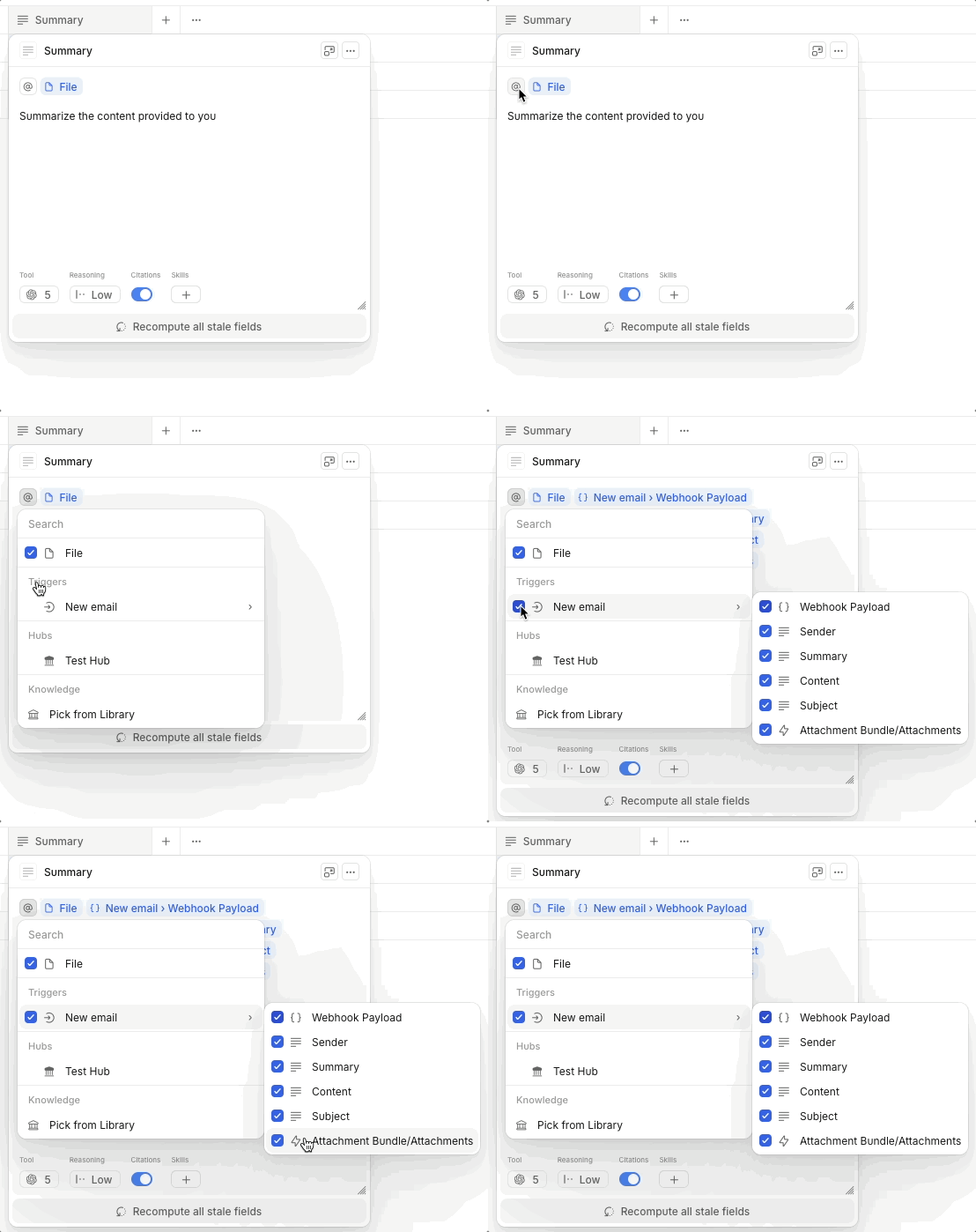
(Optional) If some of the received trigger data isn’t needed for a particular property, uncheck it.
Supported Trigger Providers (V7 Approved)
V7 Go currently supports triggers from the following providers:
- GitHub
- Gmail
- Gong
- Microsoft Teams
- Microsoft Outlook
Each provider offers specific trigger types (e.g., new email, new message, etc.).
Time Triggers
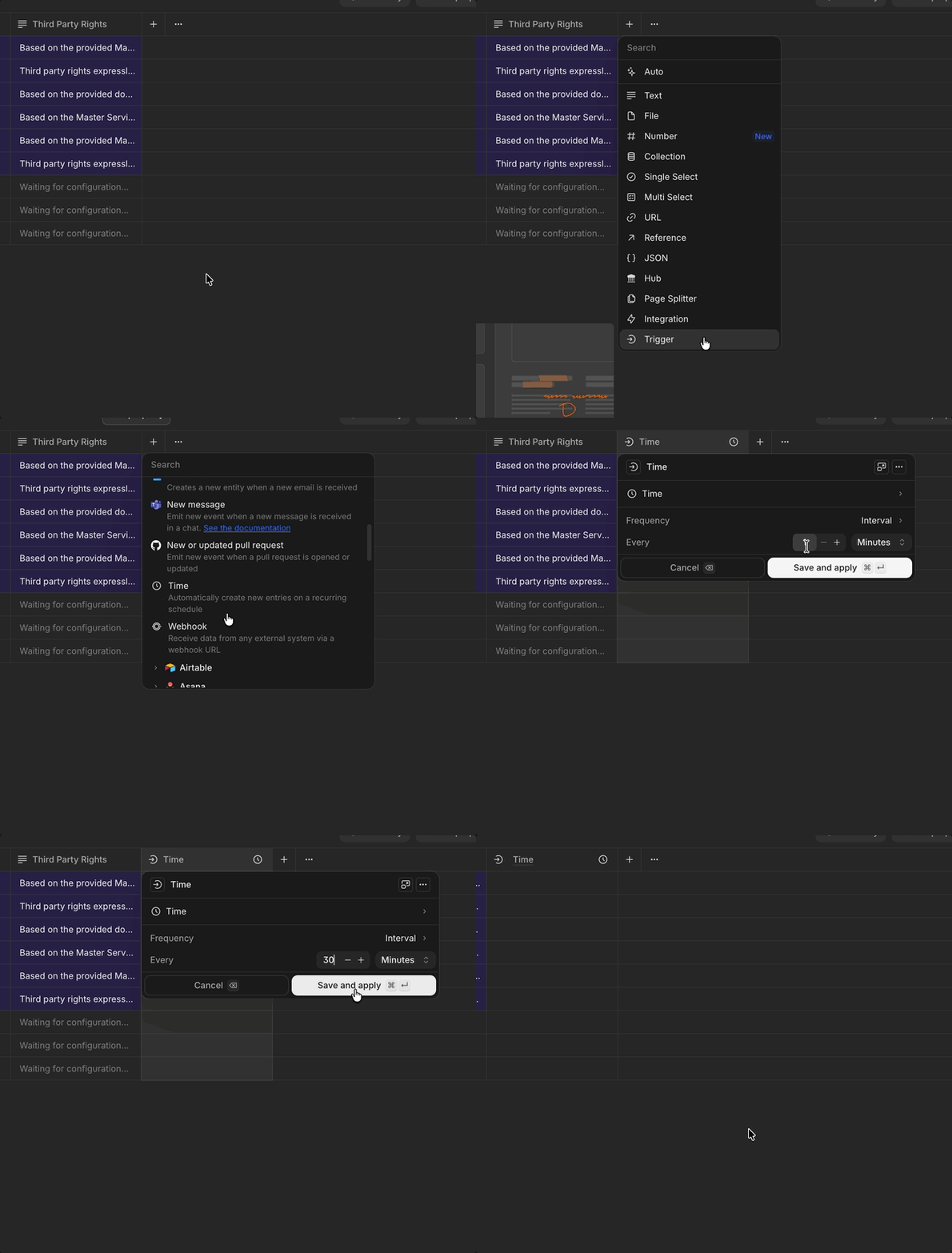
You can run workflows automatically using Time Triggers. Set a recurring schedule or a fixed interval, and the workflow runs without any manual input.
There are two ways to configure a Time Trigger:
- Schedule: Run the workflow on specific days and times, like every Tuesday and Thursday at 9AM.
- Interval: Run the workflow repeatedly at a fixed cadence, like every 30 minutes.
To set one up, open a workflow and create a new Property. Select Trigger as the property type, then choose Time from the General Purpose section. From there, pick your mode and configure the timing.
We're always adding new providers and triggers, so check in app for the most updated list!
Updated about 2 months ago