
Hub Search
Hub Search lets you search across all files and folders in a Hub, regardless of their source or format.
How to Use Hub Search
You can ask questions about your data room, and Hubs will provide context-aware answers using the Hub’s description and indexed content.
With Workflows
Why:
Workflows (like Due Diligence or CIM Triage) need to access all relevant information about a company, project, or transaction to provide accurate, context-rich results.
By leveraging Hub Search, Workflows can pull in historical data, prior interactions, and supporting documents, ensuring their outputs are comprehensive and informed.
How:
-
Create properties that specifically reference a static Hub as input (when every entity will use the same Hub).
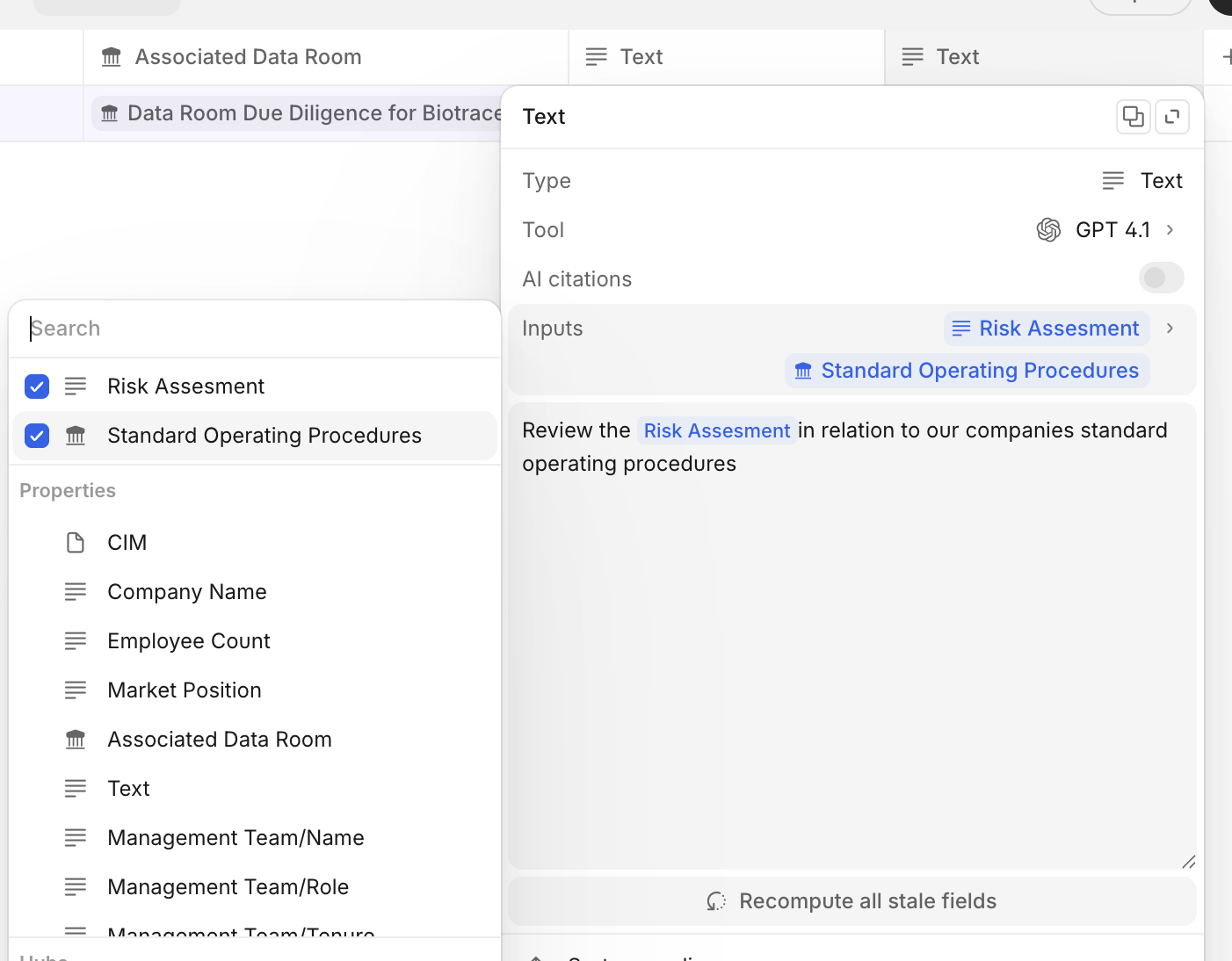
-
OR create a Hub property to dynamically change the selected Hub per entity, then reference the Hub property in downstream properties.
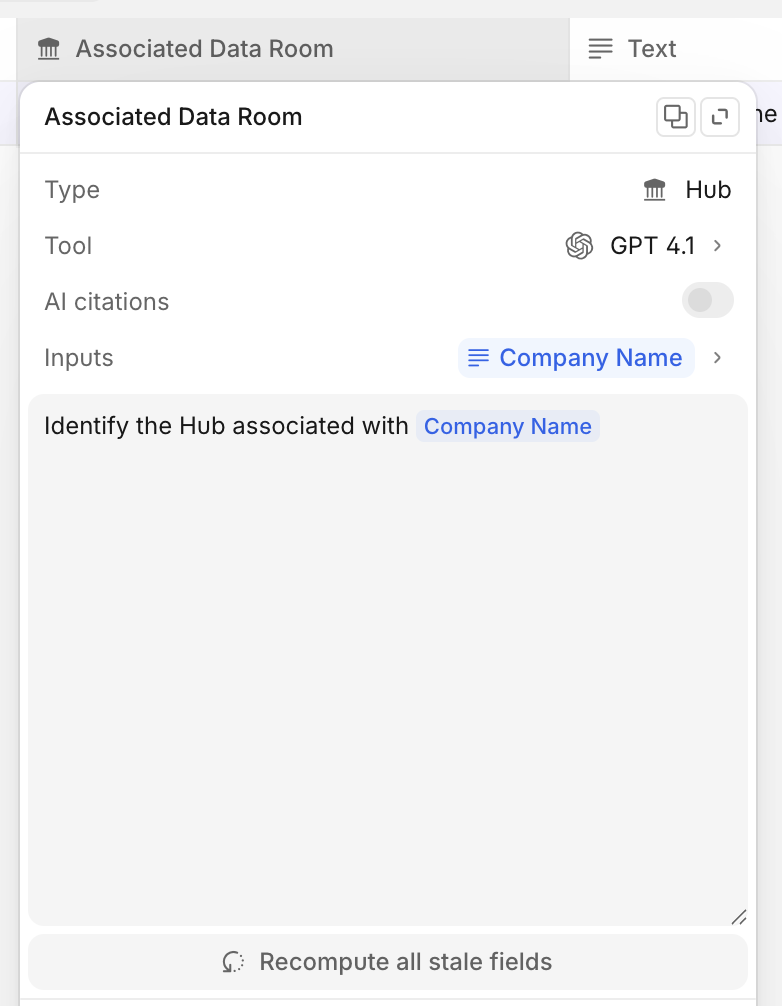
-
When the workflow runs, it automatically queries the Hub for all indexed content, using the Hub’s description as context.
-
The workflow synthesizes information from across the Hub to answer questions, complete workflows, or generate reports.
-
This process is dynamic: the workflow can select the appropriate Hub based on your input or workflow logic, ensuring the right context is always used.
With Chats
Why:
Sometimes you want to ask ad-hoc questions or make requests directly, without configuring a specific Workflow.
Through Chats:
-
Open a Chat and (optionally) select the relevant Hub.
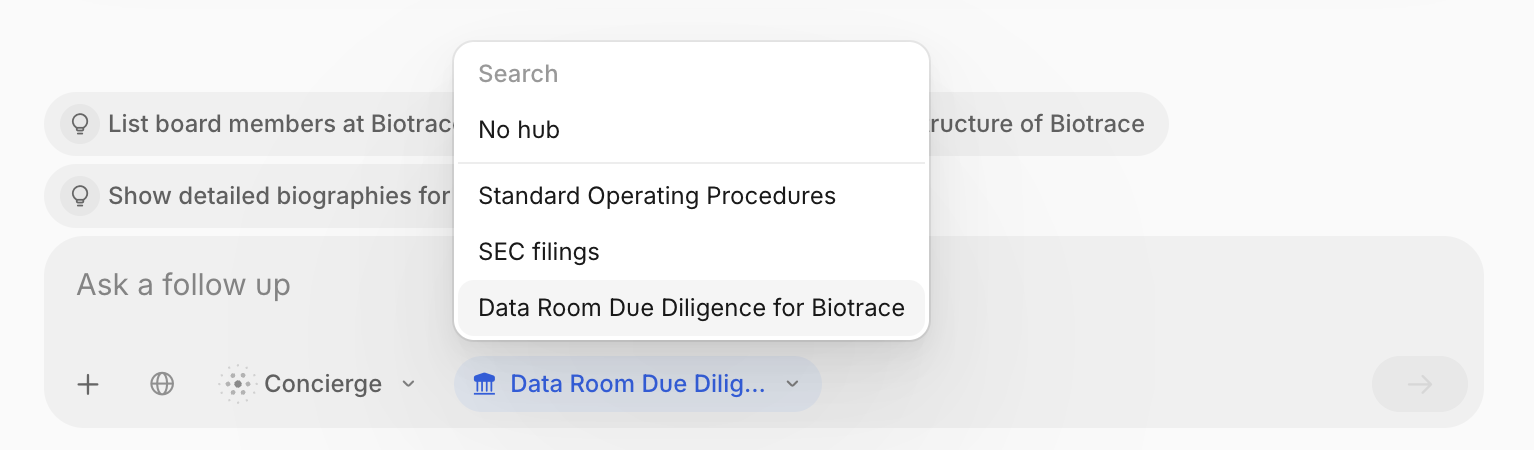
-
Type your question or request.
-
Concierge will select and search the Hub and provide a context-aware answer, using the Hub’s description and indexed content.
Through Hubs:
-
Open your Hub.
-
Type your question or request.
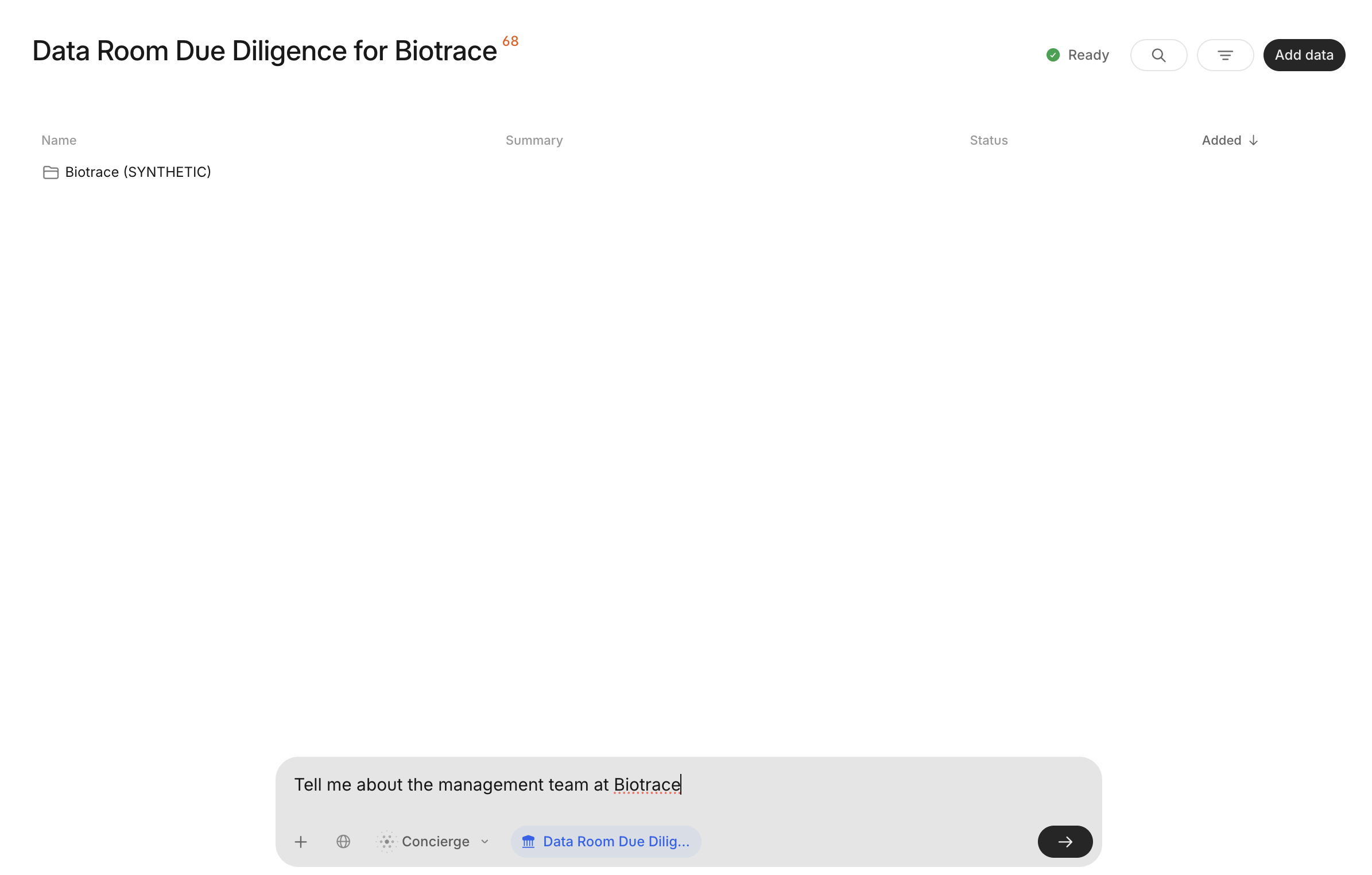
-
Concierge will select and search the Hub and provide a context-aware answer, using the Hub’s description and indexed content.
Updated about 2 months ago