
Chats and Go Agent
An overview of Chats and Go Agent, which together enable conversational interaction and workflow automation
Chats enable conversations with Go Agent.
Go Agent understands your intent, figures out which tools to use, and executes the necessary steps. Instead of just answering text prompts, you converse with Go Agent in plain language to assign goals, and it orchestrates the entire process from start to finish. You can analyze massive files, like large Excel workbooks and extensive PDFs, then created reports based on the analysis, all without running into memory barriers and context length limitations.
No code required - just ask Go Agent and let it do the heavy lifting!
Chats
Why did we build Chats?
Skills, Hubs, and Workflows - are incredibly powerful.
But there’s a catch: they require a certain level of technical know-how to use effectively.
We built Chats powered by Go Agent to bridge that gap.
Chats allow anyone - not just technical team members - to tap into the capabilities of all that V7 Go has to offer. Instead of navigating complex workflows or configuring inputs, users can simply ask Go Agent in natural language. Go Agent handles the rest: identifying the right tools, passing the correct data, and surfacing the results in a human-friendly way.
By removing technical barriers, Chats make V7 Go accessible to a much wider audience and help teams get more value from the work they’ve already done.
How to create a Chat
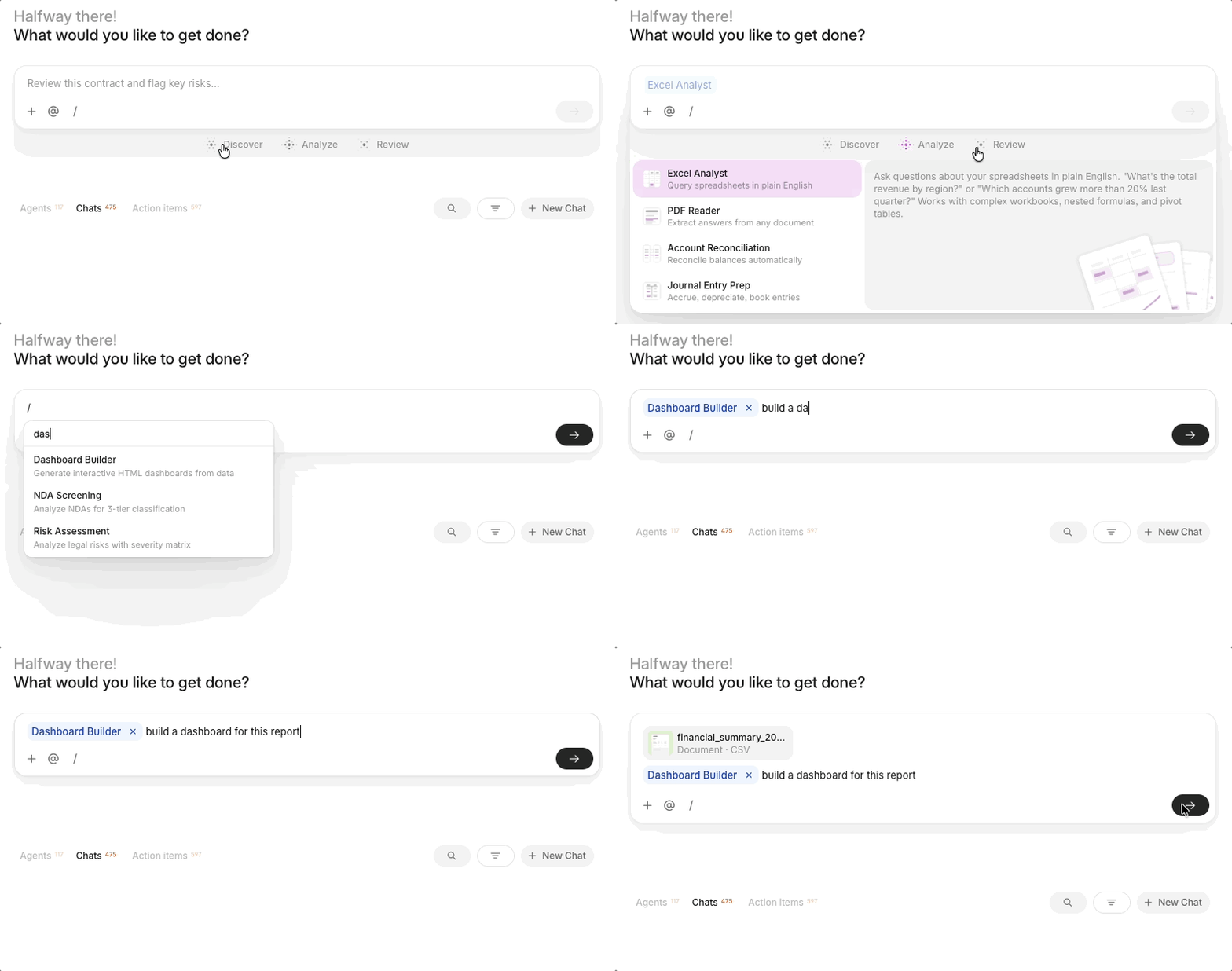
Creating a new Chat is as simple as starting a conversation with any other AI agent.
You can start from the homepage or the Chats section in the sidebar. Just ask a question - for example, “Can you process this document?”, or “Can you please triage this CIM? - and optionally upload a file. Go Agent will figure out what tools to use and take it from there.
Go Agent
Go Agent is a skills-based AI orchestration engine that drives many experience across V7 Go, including Chats.
How Go Agent works
When you give Go Agent a task, it relies on your conversation context and the resources in your workspace to get the job done. It performs these core actions:
- Executes Skills: Go Agent uses specialized pre-built global skills, like Deep Research, Excel Analyst, or Contract Review. It can also runs the custom skills published in your workspace.
- References Hubs: It automatically searches Knowledge Hubs for context. You can also chat directly with Hubs using Go Agent from the Hubs Chat sidebar.
- Invokes Workflows: It automatically triggers custom agent workflows that your team has built to chain complex tasks.
- Generates and iterates content: It can create documents, dashboards, spreadsheets, slides, and code directly in chat. It can also refine and improve the results based on your feedback.
- Reads your files: Go Agent directly analyzes documents, spreadsheets, and images that you upload.
Visibility into complex tasks
Because Go Agent orchestrates complex, multi-step tasks like reading files, calling tools, and reasoning, some operations naturally take a bit longer. To keep you informed, the user interface provides full visibility into every processing step. This makes the entire operation transparent, so you always know exactly what Go Agent is doing.
From experiment to production
Go Agent supports your workflow as your needs evolve. You start by experimenting with ideas in Chat. As you notice workflow patterns, you can build your own custom skills. Eventually, you graduate these proven workflows into dedicated workflows for repeated production use. You do not need a developer to make this happen.
Updated about 1 month ago